Quick summary
- Best for: Small and mid-size sites, agencies and resellers
- Main strength: Free tier lets you test the banner
- Keep in mind: Free plan is very limited
Overview
Websites that use analytics, advertising or embedded media often need visitor consent before setting non-essential cookies. CookieFirst is a consent management platform, or CMP, that provides a customizable banner, a preference panel and consent records so a site can handle those choices in a structured way.
This review uses the information CookieFirst publishes on its website. It is not legal advice and we have not audited the product. A tool can help you collect and log consent, but responsibility for compliance stays with the site owner, so speak to a qualified adviser about your own situation.
CookieFirst at a glance
Key features
Customizable banner
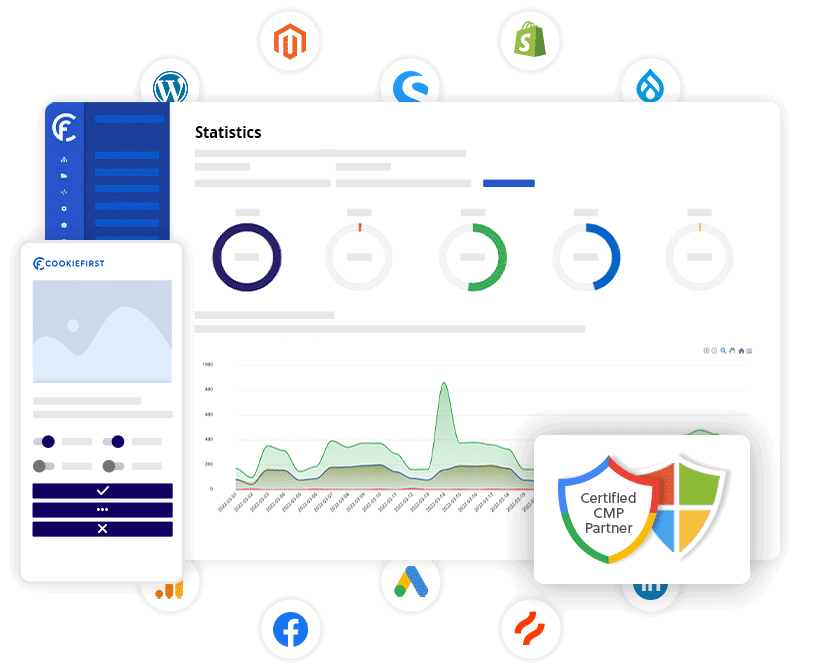
You can adjust the look of the cookie banner and the consent panel so it fits your site design.
Automated cookie scanning
The platform runs automated monthly scans to identify the cookies on your site, which helps you keep your cookie list current.
Cookie policy generator
A policy generator supports 44 or more languages, useful for sites with international visitors.
Consent mode support
The vendor lists Google Consent Mode v2 and Microsoft Consent Mode integration, relevant if you run advertising or analytics from those companies.
Granular opt-in
Visitors can accept or refuse categories and individual third-party scripts rather than a single all-or-nothing choice.
Consent logging and statistics
The system records consent decisions and shows statistics, which supports record-keeping.
Tag manager and white label
Google Tag Manager integration is listed, and white-label options are available on higher tiers for agencies.
Who it suits and who may look elsewhere
A good fit if you are
- Website owners who need a structured consent banner without custom development
- Agencies that manage consent for several client sites
- Sites that use Google advertising or analytics and need consent signals passed correctly
You may prefer another option if
- Very high-traffic sites that exceed the stated page-view allowance without a custom plan
- Organizations that need legal sign-off built into the tool itself
- Sites that want a fully free solution with many third-party scripts
Pricing and plans
CookieFirst lists a free plan at 0 euro (one third-party script and a basic banner), a Basic plan at 9 euro per month or 99 euro per year, and a Plus plan at 19 euro per month or 209 euro per year, which it marks as recommended. Enterprise pricing is custom. A soft limit of 250,000 monthly page views per domain applies, with overages tolerated up to 25 percent across two consecutive months before a custom arrangement is needed. Prices are as shown on the vendor site at the time of checking and may change.
Pros and cons
Pros
- Free tier lets you test the banner
- Wide list of regulations referenced
- Consent Mode v2 support for Google and Microsoft
- Policy generator in many languages
- Agency and white-label options
Cons
- Free plan is very limited
- Page-view allowance applies per domain
- Banner configuration still needs your own legal review
- Automated scans run monthly rather than continuously
How to get started
- Create an account and add your domain.
- Run the first scan and review the cookies it finds.
- Customize the banner text and design for your site.
- Connect Google Tag Manager or your scripts so they respect consent choices.
- Test as a first-time visitor, then publish.
Questions to ask before you buy
- Which regions do my visitors come from?
- Which scripts and cookies does my site actually set?
- Do I need Consent Mode for advertising?
- Will my traffic stay under the page-view allowance?
- Who will review my banner wording from a legal angle?
Frequently asked questions
Does CookieFirst make my site compliant?
No tool can do that alone. It provides consent collection and records, but compliance depends on how you configure it and on your wider privacy practices.
Is there a free plan?
Yes. The free plan is limited to one third-party script and a basic banner.
Does it work with Google Consent Mode?
The vendor states support for Google Consent Mode v2 and Microsoft Consent Mode.
What if my traffic grows?
A soft limit of 250,000 monthly page views per domain applies, after which a custom arrangement is needed.
Ready to look at CookieFirst?
Check current plans, terms and features on the official website before you decide.
Visit CookieFirstAffiliate link · opens the official website in a new tab